 We’ve secured funding to power Signal-to-Revenue AI to GTM teams globally. →
A CNAME Record (Canonical Name record) is a DNS record that maps one hostname (an alias) to another hostname ...

Subscribe Now
An MX record (Mail eXchanger record) is a DNS record that tells other mail servers where to deliver email for your domain. If someone sends a message to name@yourcompany.com, the sender’s mail system checks your domain’s DNS, finds the MX record, and uses it to route the message to the right receiving server.
Every domain that receives email needs MX Record. If the records are missing or wrong, inbound mail can fail, bounce, or end up delayed.
What Information Does An MX Record Include?
An MX record has two key parts:
- Mail server hostname: the server that should accept mail for your domain (example: mx1.mailprovider.com)
- Priority number: a ranking that tells senders which server to try first
A lower priority number means the server gets tried earlier. Many domains publish more than one MX record so inbound mail has a fallback path. If the first server can’t be reached, the sending system tries the next one based on priority. If two MX Record share the same priority, sending servers can pick either one.
What MX Records Do (And What They Don’t)
MX Record are about inbound routing. They help incoming mail find your mailbox provider.
They don’t authenticate outbound email. Inbox trust for outbound messages depends on SPF, DKIM, and DMARC. Those records help prove a message came from an approved sender and wasn’t altered. MX and authentication records work side by side, but they solve different problems.
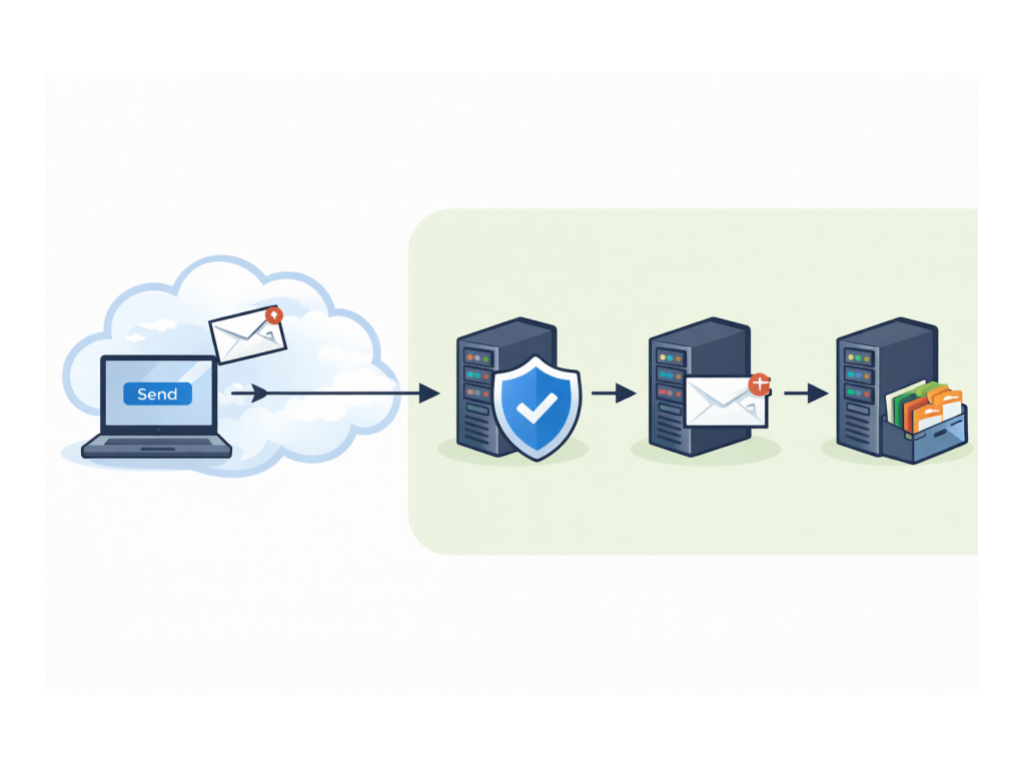
How MX Lookups Work
When an email is addressed to your domain, the sending mail transfer agent (MTA) performs a DNS lookup for your MX Record. It reads the list of mail servers and priorities, then attempts delivery in that order. This is why an MX typo or an outdated hostname can quietly break inbound mail.
How To Set Up Or Update MX Records
- Get the MX values from your email provider
Google Workspace, Microsoft 365, or your mail host will publish the exact hostnames and priority numbers to use. - Sign in to your DNS host
Common options include Cloudflare, GoDaddy, Namecheap, or Route 53. - Create or edit MX Record for your domain
Add each hostname and priority exactly as provided. Remove old MX entries that point to a previous provider if you’ve migrated. - Wait for propagation, then verify
DNS changes often show up quickly, though some updates take longer. Run a DNS lookup to confirm the published MX Record match what you intended.
Get Email Ready With Wyzard.ai
Email problems rarely stay “IT-only.” Missed inbound replies or delivery failures can slow down pipeline and reduce conversions. Wyzard.ai helps teams spot readiness gaps by validating DNS foundations like MX, along with other email-auth signals, so your follow-ups run without avoidable delivery issues. Learn more at Wyzard.ai.
Other blogs
The latest industry news, interviews, technologies, and resources.

What Is A BIMI Record And How To Set It Up
A BIMI record (Brand Indicators for Message Identification) is a DNS-based email standard that can display your brand logo ...


What Is A Return-Path Record And How To Set It Up
Return-Path is an email header (and domain) that tells mail servers where bounce messages should go when an email ...
