 We’ve secured funding to power Signal-to-Revenue AI to GTM teams globally. →
A CNAME Record (Canonical Name record) is a DNS record that maps one hostname (an alias) to another hostname ...

Subscribe Now
Preparing for Installation
Login to your JumpCloud admin console
Prerequisites required for JumpCloud integration
- API Key
How to get your API Key?
Follow these step-by-step instructions to acquire your API Key
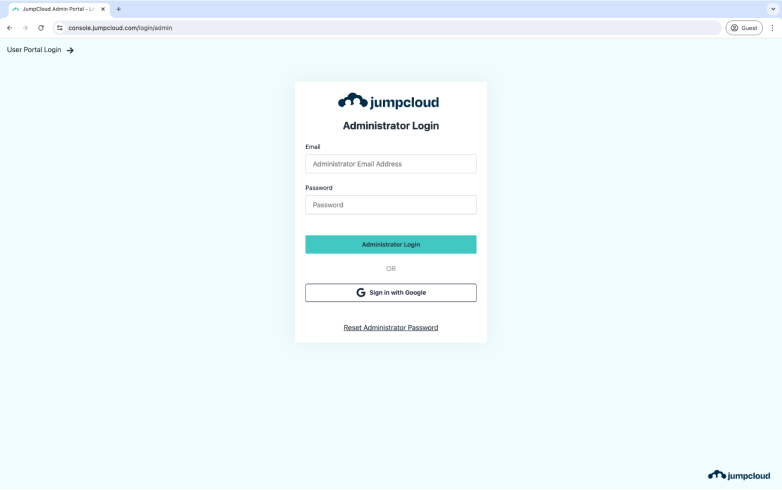
Step 1: Login to JumpCloud
Go to https://console.jumpcloud.com/login/ and sign in with your admin credentials.
Step 2: Click on your “Profile Icon”
On top right corner , you will see your Profile Icon. You need to click on it.
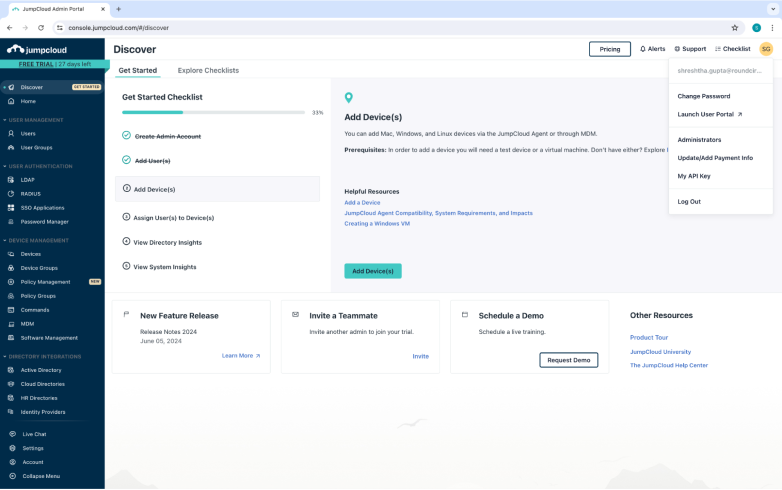
Step 3: Find “API” in the drop down
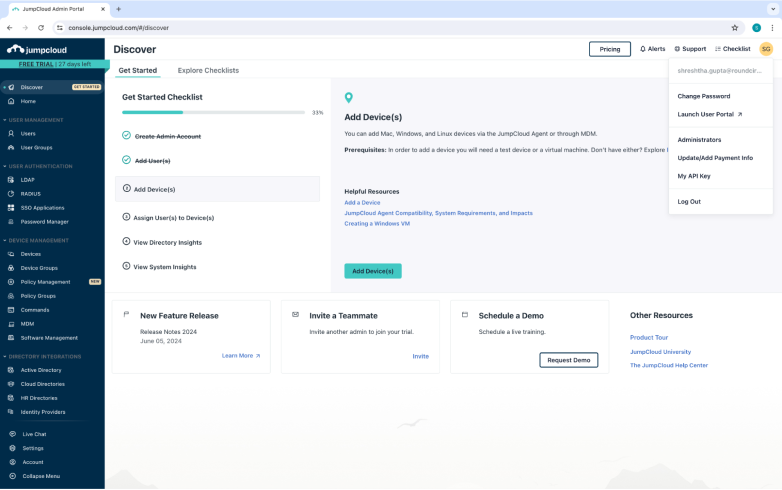
From the drop down list, select My API Key.
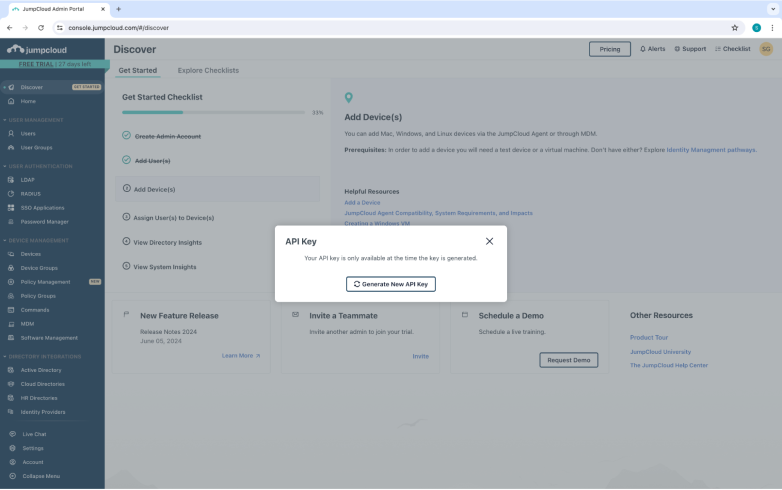
Upon clicking on My API Key, the following pop up will open. Click on “Generate New API Key”
Step 4: COPY API Key
This will only appear to you once, so please make sure you copy the API Key showcased to you. You can click on the copy icon next to it to copy the key.
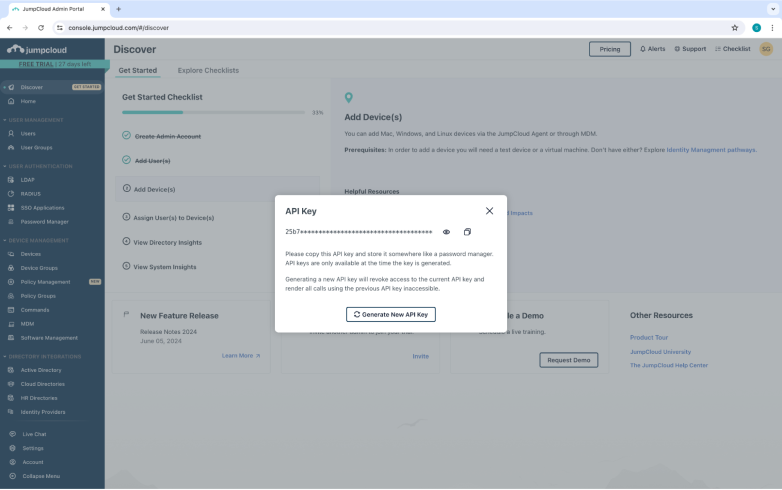
You have got your API Key.
Thats all the information you need for Logging in with JumpCloud. All the best.
Other blogs
The latest industry news, interviews, technologies, and resources.
What Is A BIMI Record And How To Set It Up
A BIMI record (Brand Indicators for Message Identification) is a DNS-based email standard that can display your brand logo ...

What Is A Return-Path Record And How To Set It Up
Return-Path is an email header (and domain) that tells mail servers where bounce messages should go when an email ...
