 We’ve secured funding to power Signal-to-Revenue AI to GTM teams globally. →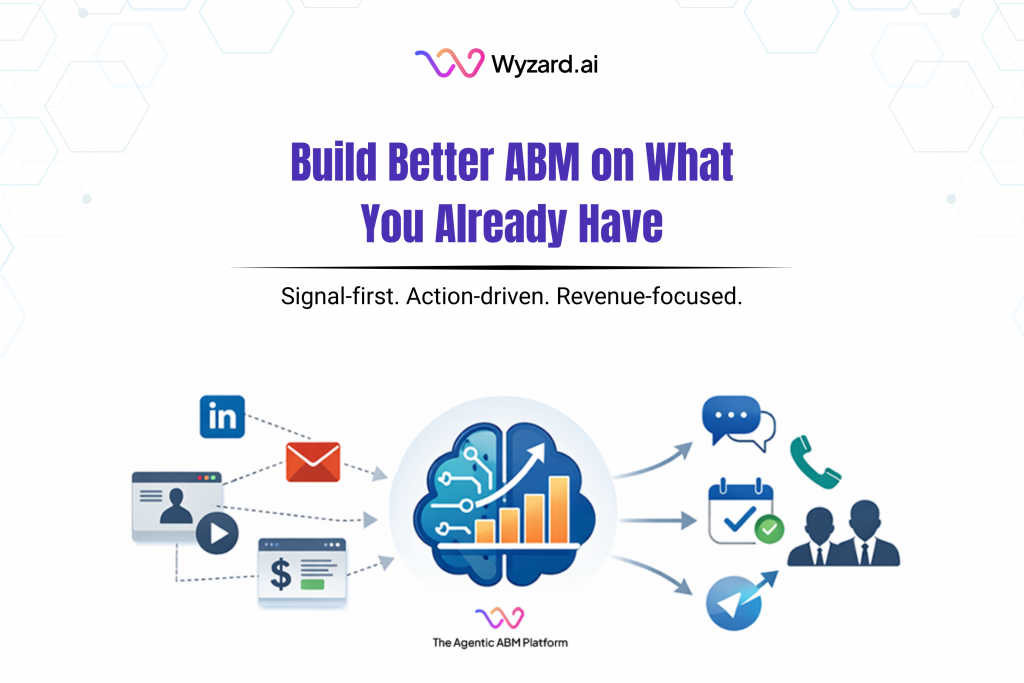
If you are a CMO, this situation feels familiar. Your team has a CRM, marketing automation, paid campaigns, webinars, ...
Subscribe Now
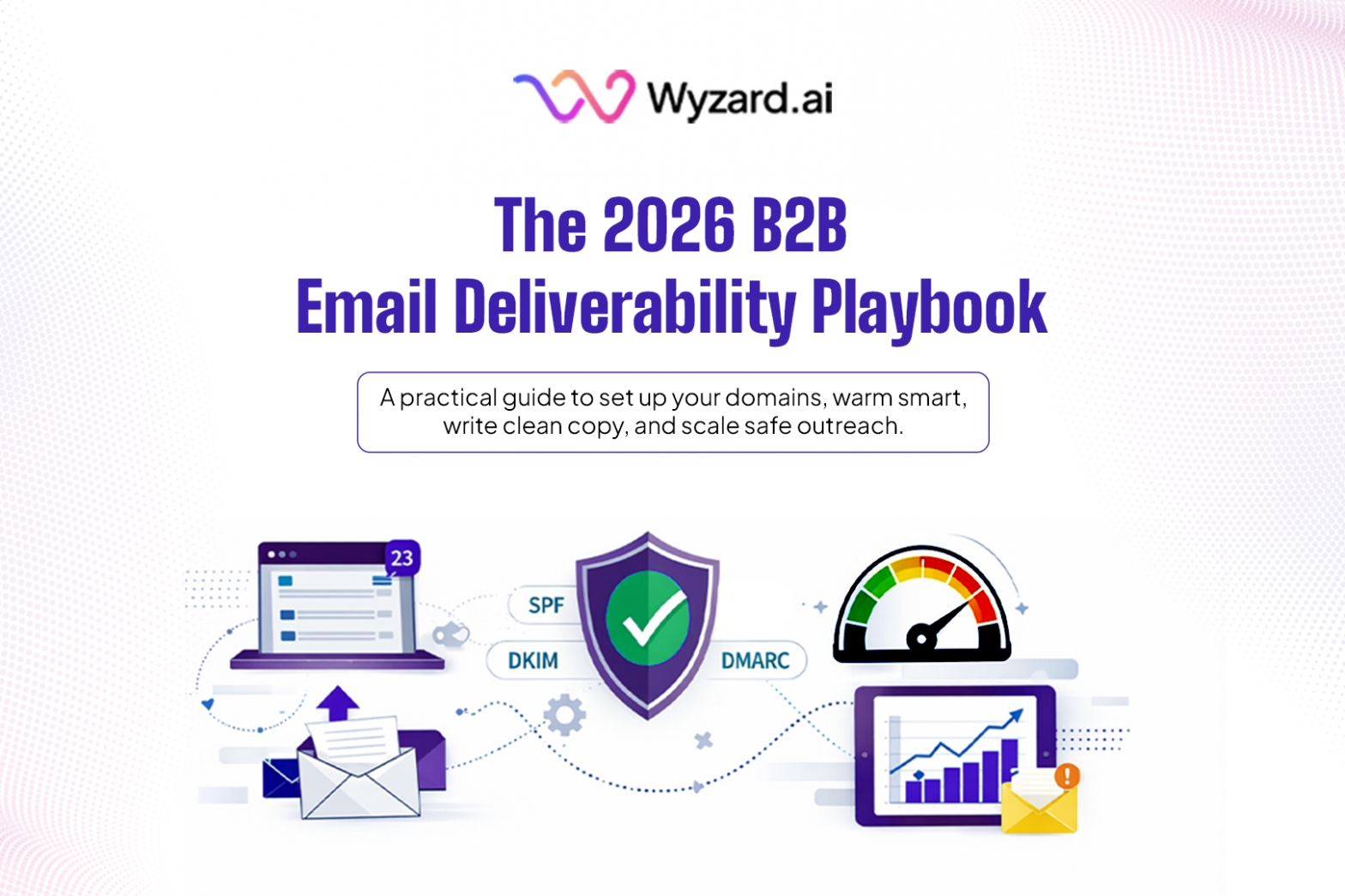
Email still drives B2B pipeline in 2026, yet inbox placement has gotten harder and deliverability now ties straight to revenue. If your emails do not land in the inbox, you lose replies, pipeline speed, and the compounding effect of consistent follow-up.
For lean GTM teams, inboxing is one part of the work. After a message lands, speed and consistency across touchpoints matters: website chat, email, and LinkedIn. Some teams pair a disciplined deliverability foundation with tools like Wyzard.ai to keep follow-up moving across channels without adding manual overhead.
This guide has one goal: help you set up a foundational deliverability system that supports email marketing, so you can scale without burning domains, inboxes, or reputation.
Deliverability In Plain English: What It Is, What It Is Not, And What Filters Look For
Two definitions set the frame:
- Delivery: the receiving server accepted your email.
- Deliverability: the email reached the inbox instead of spam or junk.
The signals that matter most are consistent across providers: bounce rate, spam complaints, sender reputation, and engagement patterns that feed filtering. A reliable system protects technical trust and recipient trust at the same time.
Pillar 1: Technical Setup And Authentication
Authentication is the trust floor. Your foundation includes SPF, DKIM, and DMARC, plus infrastructure hygiene like reputable sending, reverse DNS, TLS, and consistent SMTP identity. Your setup should cover tracking domains and sender trust cues such as a consistent sender name.
The baseline is clear:
- SPF: include all ESPs used
- DKIM: aligned with the envelope domain
- DMARC: start with p=none, then move to quarantine, then reject
- BIMI: add brand authority signals
- Domain age: at least 30 days before cold outreach
- DNS TTL: 1 hour for agility
If deliverability slips later, start here. Many issues trace back to authentication or DNS drift.
Pillar 2: Domain Strategy
A domain strategy limits blast radius and supports scale. Use multiple domains or subdomains, distribute sending across domains and inboxes, and avoid reputation spillover across your domain set.
The operating limits:
- Max 5 inboxes per domain
- 30–50 cold emails per inbox per day
- 150–250 emails per inbox per week
To protect sender identities during scale:
- Rotate inboxes every 2–4 weeks, earlier if inbox placement drops
- Run no more than 2 active sequences per inbox
- Add a new sending domain monthly when scaling
This keeps one bad run from taking down everything.
Pillar 3: Warm-Up
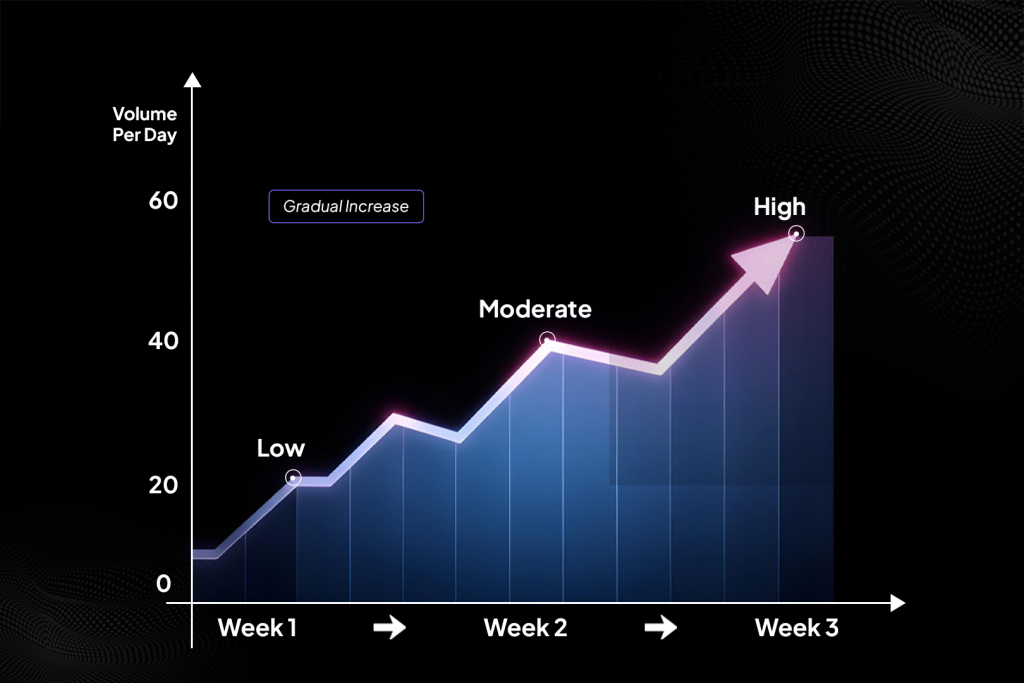
Warm-up builds sender reputation through gradual volume increases and engagement. It’s critical to ramp up sending gradually and continue warming even between campaigns to maintain a healthy sender reputation.
The warm-up protocol:
- Week 1: 10–20 emails per day
- Week 2: 20–40 emails per day
- Week 3 and beyond: scale gradually and monitor opens and replies
- Keep warm-up running over time, not just at launch
- 1:1 rule: for every cold email, send one warm-up email
Benchmarks:
- Bounce rate under 2%
- Spam complaint rate under 0.1%
Warm-up is reputation maintenance, not a launch checklist item.
Warm up your email templates (not just the inbox)
Inbox warm-up and domain warm-up set the baseline. Content patterns still matter once real outreach starts. If your warm-up emails look like normal business conversations, filters see more consistent signals around message length, links, and reply behavior.
If you are training the email content and warming it up, it will most end up in Inbox. Spammy content works against you. Use real, legitimate emails that match the style you plan to send in production, with the same constraints you plan to follow later.
Pillar 4: Sending Volume And Frequency
Most deliverability problems come from spikes, inconsistent pacing, or too much volume concentrated in one inbox. Best practices include staying well under sending limits, rotating mailboxes regularly, maintaining a healthy reply-to-send ratio, distributing volume across inboxes, and applying smart throttling.
Execution rules:
- Throttle to 5–10 emails per hour
- Space follow-ups by 2–3 days
- During warm-up, grow by +10 per day
- Keep bounce rate under 3% during active sending
Rest rules:
- Deliverability score under 80: rest 3–5 days
- Spam rate over 0.1%: stop the sequence
These stop small issues from turning into a long recovery cycle.
Pillar 5: List Quality And Hygiene
Perfect authentication cannot save poor inputs. Always verify your lists, avoid spam traps and high-bounce sources, skip role-based emails, segment contacts for relevance, and limit sends per company to protect your domain reputation.
The playbook ties hygiene to thresholds. If you miss the bounce targets, your system is feeding negative signals:
- Warm-up: bounce rate under 2%
- Active sending: bounce rate under 3%
Treat hygiene as ongoing ops: verify before sending, suppress risky segments, segment by relevance, cap per domain, remove bounces fast.
Pillar 6: Content Optimization
What you write affects deliverability through recipient behavior. Spam complaints, low engagement, and deletes all push you toward junk placement.
Best practices recommend using personalized, plain-text style messages, low link density, no attachments, and clear opt-outs when appropriate.
The content constraints:
- Subject line: 3–6 words (30–40 characters)
- Body: 60–90 words, problem-first positioning
- Links: max 1
- Images: none for cold outreach
- CTA: one per email, soft (“open to chat?”), binary (“yes/no?”) or specific (“book a demo”)
- Unsubscribe: 1-click
- Sequence length: 3–5 touches
- Avoid spam trigger phrasing, ALL CAPS, and exclamation-heavy tone
- Test plain text or lightly formatted HTML
A simple structure that fits those rules: relevance line, problem framing, proof type, one CTA, clean opt-out.
One nuance: “plain vs HTML” appears as a test variable, yet some setups may support only plain text. Keep tests aligned with what your stack can send.
Pillar 7: Monitoring And Continuous Improvement
Track inbox placement, bounce rates, and complaint rates consistently; use tools like Google Postmaster, run inbox placement tests, and check for blocklist issues regularly.
The monitoring cadence:
- Google Postmaster Tools: 2x per week
- Inbox placement seed tests: weekly or per campaign
- Warm-up monitoring: daily during warm-up
- MXToolbox checks: weekly or when issues show up
- Inbox placement target: 85% or higher in primary inbox
Treat monitoring like pipeline reporting. It keeps you from guessing.
Pillar 8: Legal And ISP Compliance
Ensure compliance with CAN-SPAM, GDPR, and CASL regulations, include one-click unsubscribe options, and align with the latest requirements from Gmail, Yahoo, Microsoft and others.
The operational standard is simple: use one-click unsubscribe. Compliance reduces risk and supports recipient trust signals that feed deliverability.
What “Good” Looks Like: Performance Benchmarks
The performance benchmarks:
- Open rate: 40–60%
- Reply rate: 2–5%
- CTR: 1–2%
- Bounce rate: under 3%
- Spam complaint rate: under 0.1%
- Inbox placement: over 85% (non-spam)
Bounce rate and complaint rate are the guardrails that protect everything else.
When Deliverability Drops: A Recovery Path You Can Run Without Guessing
Warning signs:
- Open rate drops by more than 20%
- Bounce spikes or 421/451 SMTP errors
- No replies with high opens
- Postmaster reputation reads “Bad” or “Low”
Remediation protocol:
- Pause sends from the affected inbox or domain
- Check SPF, DKIM, and DMARC via MXToolbox
- Run inbox placement testing
- Restart warm-up
- Switch to a fresh domain or subdomain if needed
- Monitor daily until stable
Recovery expectations:
- Minor issue: 3–7 days
- Major flag or blocklist: 2–3 weeks
Testing And Scaling Without Burning Reputation
Run tests with control: one variable at a time, enough volume to learn, and clear stop rules.
Infrastructure variables:
- Domain-to-inbox ratio: 1:5 vs 1:3
- Warm-up duration: 15 vs 30 days
- Trigger rule: open drop over 20% triggers rest
- Rotation frequency: weekly vs monthly
Content variables:
- Format: plain vs HTML (where supported)
- Link type: website vs Google Calendar vs 3rd party calendar tools
- Signature: minimal vs full
- Length: under 60 vs 80–100 words
- CTA style: soft vs binary vs specific
- Tone and first-line strategy
Control volume per variant: about 100–200 sends.
Scaling milestones:
- Warmed inbox: inboxing over 85%
- Strong engagement: reply rate over 5%
- Ready to scale: 3+ inboxes per domain performing well
- Red flags: open rate under 30% or blocklist signals
Top 10 Questions We Hear About Deliverability
- Why can’t we just use our main domain for all outreach?
Using your primary domain puts your entire brand’s email reputation at risk. If cold emails trigger spam filters, even internal or customer-facing emails could suffer.
- Do we really need to warm up inboxes if we’re not sending yet?
Yes. Sender reputation decays without activity. Keeping inboxes warm helps maintain trust with ISPs and avoids starting from zero when you’re ready to scale.
- Isn’t one inbox enough if we’re only sending a few hundred emails?
Even small campaigns can get flagged. Spreading sends across multiple inboxes reduces risk, improves placement, and allows parallel testing of sequences.
- We’re not spamming; why are we still landing in promotions or junk?
Mailbox providers don’t just check content. They monitor historical behavior, engagement rates, link types, headers, domain age, and technical setup.
- Why not just blast 1,000 emails a day and see what sticks?
That approach burns domains, tanks your sender reputation, and often results in blacklisting. Controlled ramp-up = sustainable scale.
- We bought a list, can’t we just send and clean bounces later?
No. Purchased lists often contain invalid or recycled addresses that trigger spam traps. This will instantly hurt deliverability and can get you blocked.
- Do links and signatures really affect inboxing that much?
Yes. High link density, tracking URLs, or image-heavy signatures raise red flags. Less is more: plain-text-style messages with 0–1 links perform best.
- Why do we need to rotate domains and sender IDs?
Domains and inboxes have a send limit. Rotating allows you to maintain volume without risking burnouts. It’s standard practice for healthy outbound programs.
- What’s the difference between email delivery and deliverability?
Delivery = the email was accepted by the server. Deliverability = it landed in the inbox (not spam). You want both, but especially the latter.
- We’re seeing great open rates, why aren’t we getting replies?
You may have content misalignment, poor CTA clarity, or bad targeting. High opens with low replies is often a sign to rework messaging or segment better.
A Strategic Commitment to Inbox Success
Deliverability isn’t a one-time setup. It’s an ongoing responsibility. Teams that keep inbox placement stable build habits around setup, pacing, hygiene, monitoring, compliance, and fast recovery.
Once your email foundation holds steady, the next step is a connected follow-up motion across chat, email, and LinkedIn so high-intent leads do not leak between channels.
Looking to scale deliverability with confidence?
Wyzard.ai helps growth teams run high-performing, compliant outreach across cold email and multichannel touchpoints.
Book a demo to see how top B2B companies are putting it into practice.
Other blogs
The latest industry news, interviews, technologies, and resources.
March 30, 2026
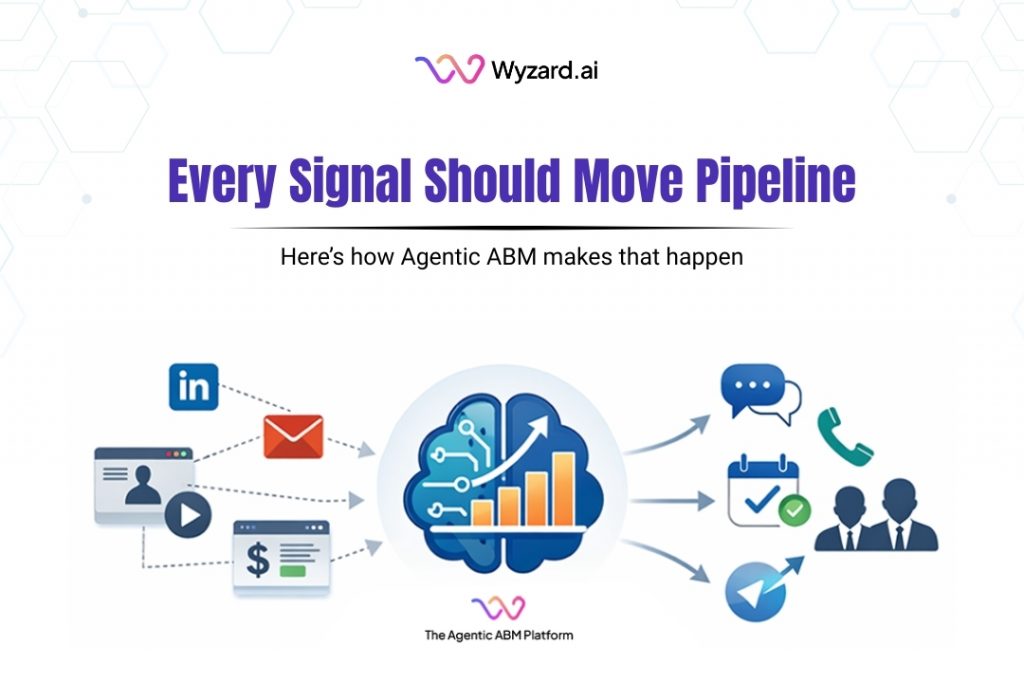
The Signal-to-Revenue Blueprint for Agentic ABM
A CMO reviews the weekly dashboard and sees strong activity. A target account clicked a LinkedIn ad. Another stakeholder ...

March 27, 2026
What Is Agentic ABM? A Practical Guide for Enterprise GTM Teams
Enterprise GTM has an action gap. If you are a CMO, this scene is familiar. A target account clicks ...
